Free Fire Nickname Space: Invisible & Blank Name Codes
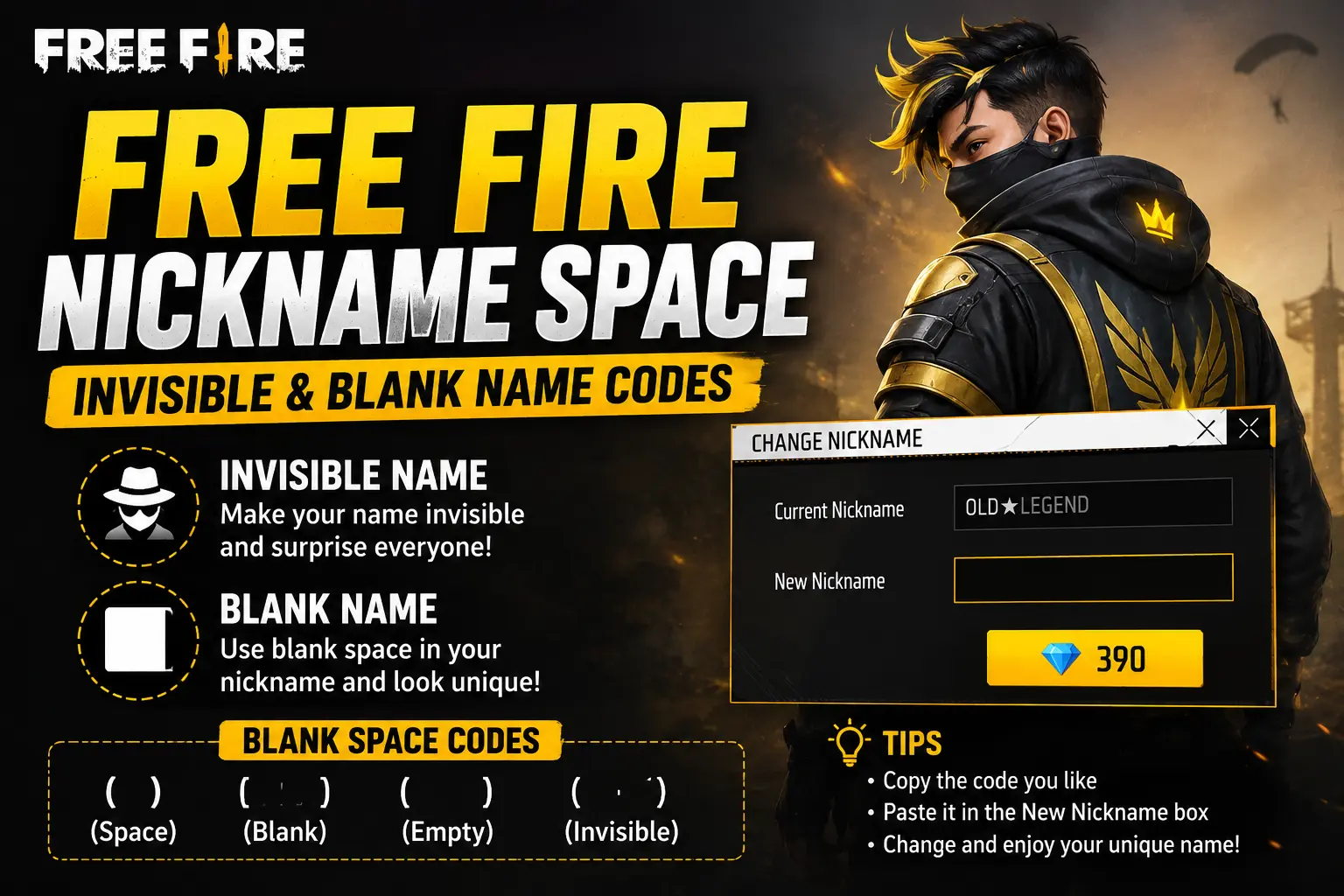
Free Fire nickname space is a special trick. It lets you put an invisible gap in your name. Some players call it invisible name or blank name . Your name looks empty in the game. But the game still sees it as a real name.
Why do players want this? It looks cool and different. When you join a match, your name is not there. It makes you look mysterious. Other players will notice you.
The normal space bar on your phone does not work in Free Fire names. The game says no to normal spaces. But special Unicode characters do work . These are hidden characters. They look like nothing. But the game counts them as letters.
In this guide, you will learn how to get Free Fire nickname space. I will show you the codes to copy. I will give you the simple steps. And I will tell you the risks too. Let us start.
What Are Invisible Space Codes?
Invisible space codes are special characters from the Unicode system. Unicode is like a giant list of all text symbols in the world . Some of these symbols are invisible. They take up space in a name. But your eyes cannot see them.
The most popular code is called Hangul Filler. Its code is U+3164 . When you paste it, it looks like nothing. But Free Fire reads it as a character.
There is also a small space code called U+FFA0 . And there are others like U+200B and U+2800 . Different codes work at different times. If one code does not work, try another one.
Important: Free Fire changes its rules sometimes. A code that worked last month may stop working after a game update . So if your code fails, do not worry. Just try a different code from the list below.
Free Fire Nickname Space Codes (Copy Paste)
Here are the invisible space codes you can use. Copy the space inside the brackets. Do not copy the brackets .
| Code Type | Invisible Character | How to Use |
|---|---|---|
| Small Space | [ ] | Use between words |
| Medium Space | [ᅠ] | Slightly wider gap |
| Large Space | [ㅤ] | Best for most names |
| Full Blank Name | [ㅤㅤㅤㅤㅤㅤ] | Paste for empty name |
How to copy: Long-press the space inside the brackets. Select copy. The space looks empty. But your phone has copied the hidden character.
Pro tip: You can mix these codes. Paste a large space three or four times. This makes a longer blank name . But remember the 12-character limit.
How to Make a Free Fire Invisible Name (Step by Step)
Follow these simple steps to get a blank name in Free Fire.
Step 1: Copy Your Code
Copy one of the invisible spaces from the table above. Save it in your phone notes first. This makes it easy to find later .
Step 2: Open Free Fire
Launch Free Fire on your phone. Wait for the game to load fully.
Step 3: Go to Your Profile
Tap your profile picture. It is in the top left corner of the screen .
Step 4: Tap the Edit Button
Look for the pencil icon next to your current name. Tap it. This opens the name change screen .
Step 5: Paste Your Code
Paste the invisible space into the name box. If you want a full blank name, paste it many times. Use as many as you need.
Step 6: Confirm the Change
Tap save or confirm. You will need a Rename Card or 390 diamonds . The first name change may be free for new players.
Step 7: Check Your Name
Go back to your profile. Your name should look empty or have a gap. If it did not work, try a different code. Some codes work better than others .
Free Fire Nickname Space for Different Uses
You can use invisible spaces in many ways. It is not just for full blank names.
For Word Gaps
Want a name like “Pro Player” but the normal space does not work? Use an invisible space. Type “Pro” then paste the invisible space then type “Player”. It looks clean and pro .
For Symbol Separation
If you use symbols in your name, invisible spaces help a lot. Symbols can look messy without gaps. Invisible spaces make them look organized .
For Full Blank Names
Paste five or six large spaces together. This makes your whole name invisible. Your profile will show no name at all .
For Mystery Style
Some players want a half-blank name. Like “Ghostㅤㅤㅤ” with hidden spaces after. It gives a spooky, empty vibe. Other players will wonder what your name is.
Common Problems and Fixes
Sometimes the invisible space does not work. Here are common problems and how to fix them.
Problem: Name Already Taken
This happens a lot. Many players use invisible spaces. The game may say your name is taken .
Fix: Add more invisible spaces. Or mix two different codes. Like one large space and one small space together. This makes your name different from others.
Problem: Code Does Not Work Anymore
Free Fire updates the game often. Some codes get blocked after updates .
Fix: Try a different code. If U+3164 fails, try U+2800 or U+00A0 . The game may accept the new one.
Problem: Name Looks Blank in Game
Sometimes the name works in the edit screen. But in matches, it shows a square box. This means the game does not support that character .
Fix: Use a more common code. U+3164 (Hangul Filler) is the most reliable one. Stick with it if others fail.
Problem: Cannot Save the Name
The save button is grey and will not work. This usually means your name is too long. The limit is 12 characters .
Fix: Use fewer spaces. Each invisible space counts as one character. Six spaces take up half your limit.
Tips for Using Free Fire Nickname Space
Here are some smart tips to help you.
Test Before You Spend
Name changes cost diamonds. Do not waste them on codes that fail. Test your code first. Paste it in a note. Count the characters. Make sure it looks right .
Keep a Backup Code
Save two or three different invisible codes in your notes. If one stops working after an update, you have another ready .
Do Not Go Fully Blank if You Worry About Reports
Some players report blank names as suspicious. They may think you are hiding something . If you want to be safe, use invisible spaces only for gaps. Keep some letters in your name. This way, you still look unique but you are not fully hidden.
Check After Game Updates
Free Fire gets updates often. After each big update, check if your name still works. If it broke, change it back or try a new code.
Combine with Symbols for Best Look
Invisible spaces work great with symbols. Use a symbol, then invisible space, then letters. This makes a stylish and clean name. For more symbol ideas, check our Free Fire symbols and fonts page.
FAQs About Free Fire Nickname Space
Q1: Is Free Fire nickname space safe to use?
Yes, using invisible spaces is safe. It is just text formatting. It does not break any game rules . However, some players might report you if your name is fully blank. Keep that in mind.
Q2: Will I get banned for using invisible space in Free Fire?
No, you will not get banned just for using an invisible space. Many players use this trick every day . But if you use it with cheating software, that is different. The space itself is not the problem.
Q3: Why does my invisible space code not work?
Free Fire blocks some codes after updates . Try a different code. U+3164, U+2800, and U+00A0 are good options to try .
Q4: How many invisible spaces can I use in my Free Fire name?
The name limit is 12 characters . Each invisible space counts as one character. So you can use up to 12 spaces for a fully blank name. But some of them might not save if the name is already taken.
Q5: Does invisible space work in Free Fire MAX too?
Yes, the same trick works in Free Fire MAX. The steps are the same .
Q6: Can I use invisible space on PC or emulator?
Yes, you can. Copy the code on your PC. Paste it into the Free Fire name field on the emulator. The same rules apply .
Conclusion
Free Fire nickname space is a fun way to make your name stand out. You learned what invisible space codes are. You got copy-paste codes to use. You know the step-by-step process to change your name. And you learned how to fix common problems.
The key points to remember: Copy a Unicode code like U+3164. Paste it in your Free Fire name field. Use a Rename Card or 390 diamonds. Test before you spend. Keep backup codes for game updates.
Not everyone likes a fully blank name. And that is okay. You can use invisible spaces for small gaps too. This looks clean and professional. It is a safer choice if you do not want attention from other players.